All Blogs/Network
7 Aug 2026
3 min read

Network Topologies & Architecture: How the Shape of a Network Defines Its Strength

featured image

By: Martian Corporation

Introduction

"Every network is built twice — first as a design, then as a reality."

Before a single cable is run, someone has to decide how all these devices will connect. That decision is called topology — the shape and layout of a network. Just like a building's floor plan shapes how people move through it, a network's topology shapes how data flows and where it breaks.

In this article, we'll walk through the major topologies and see how organizations balance cost, resilience, and scale — the three forces behind every architecture decision.

Physical vs. Logical Topology

"How a network looks and how it behaves are rarely the same thing."

Every network has two topologies at once. The physical topology is what you can touch — the cables, switches, and hardware. The logical topology is how data actually travels between devices, which can look completely different from the physical layout.

Most office networks are physically wired as a star, with every device plugging into a central switch. Yet data may flow logically in a different pattern, depending on how that switch is configured. Troubleshooting means thinking about both layers at once.
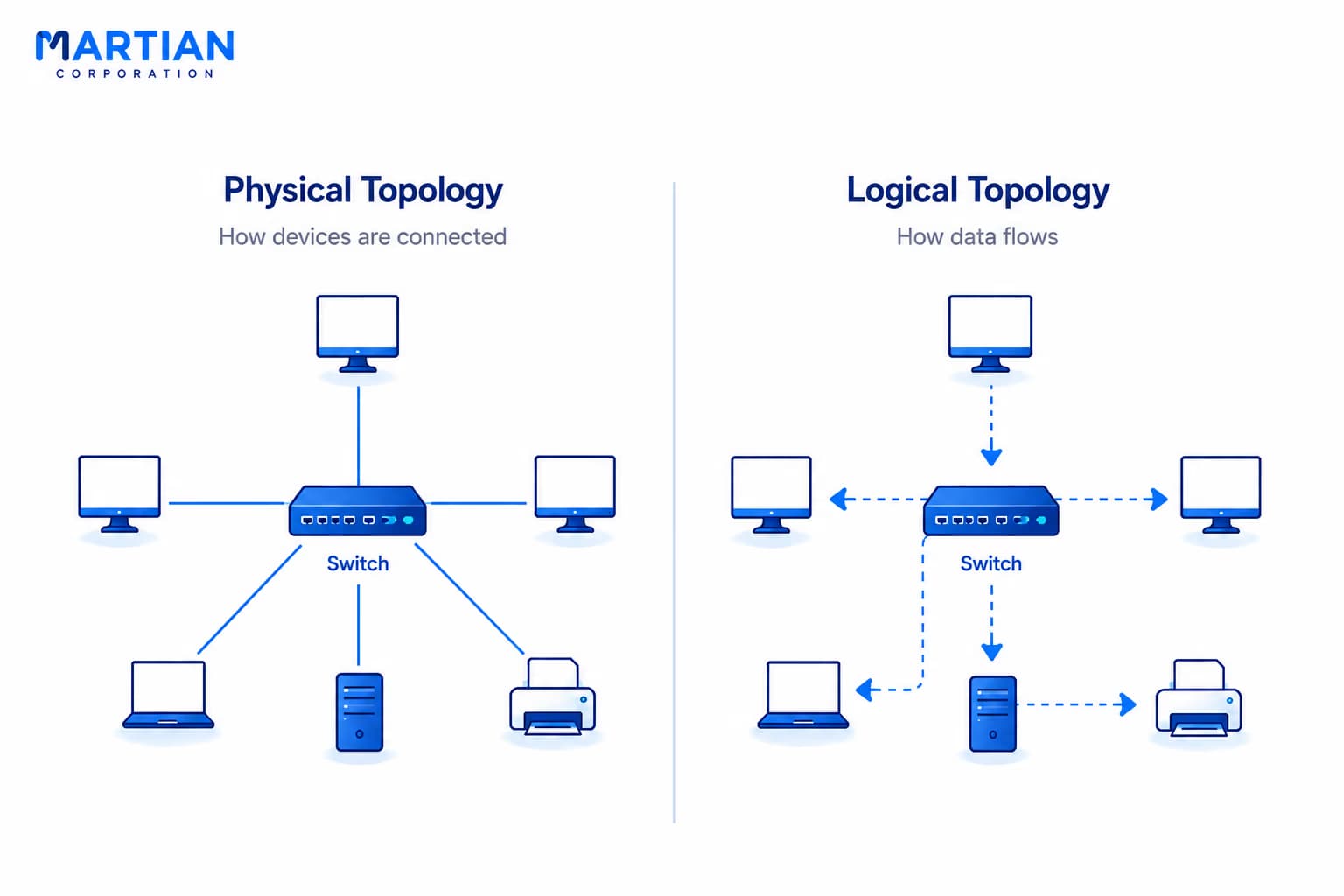
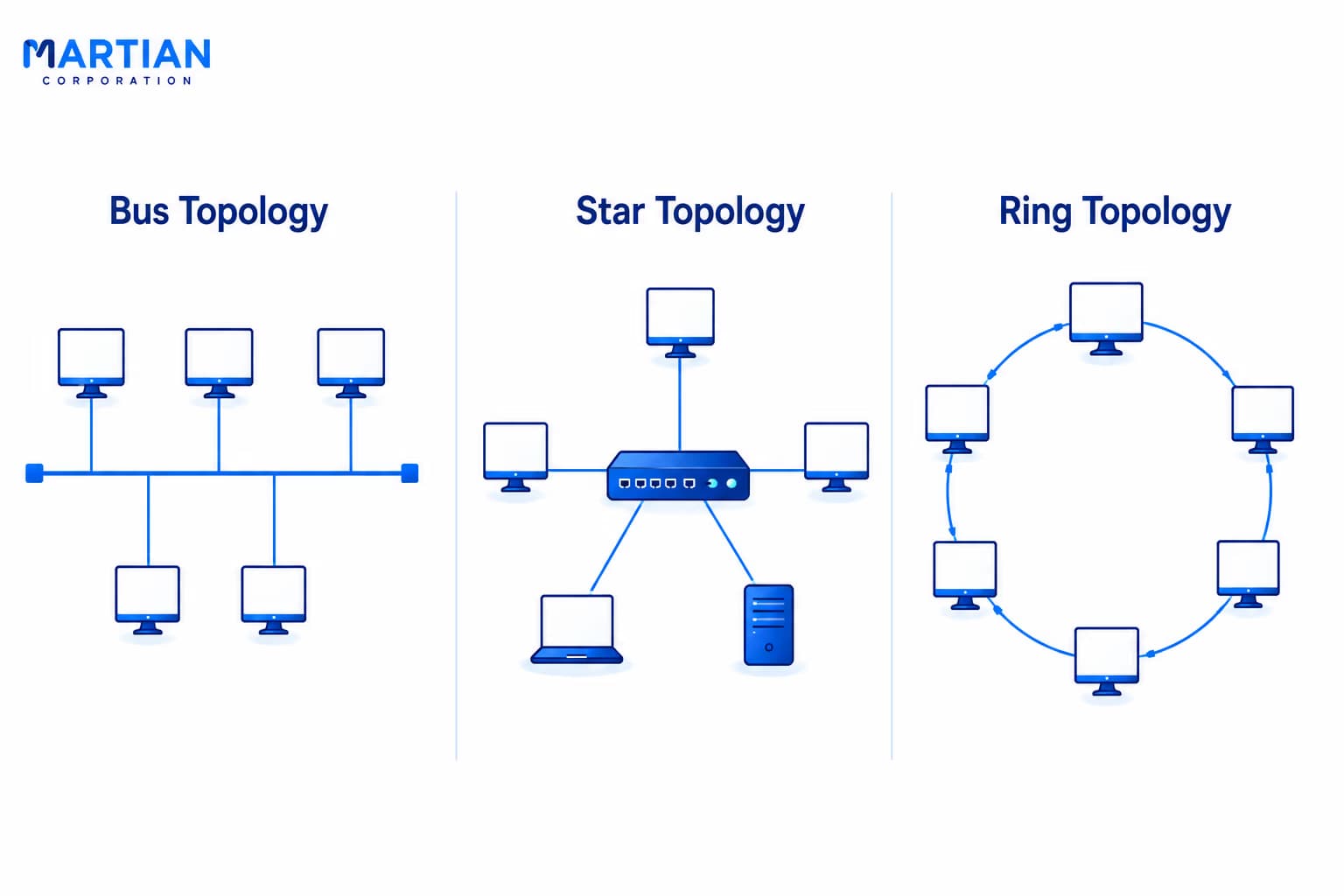
image 2

The Classic Topologies: Bus, Star, and Ring

"Every classic topology solved a real problem — and introduced a new one."

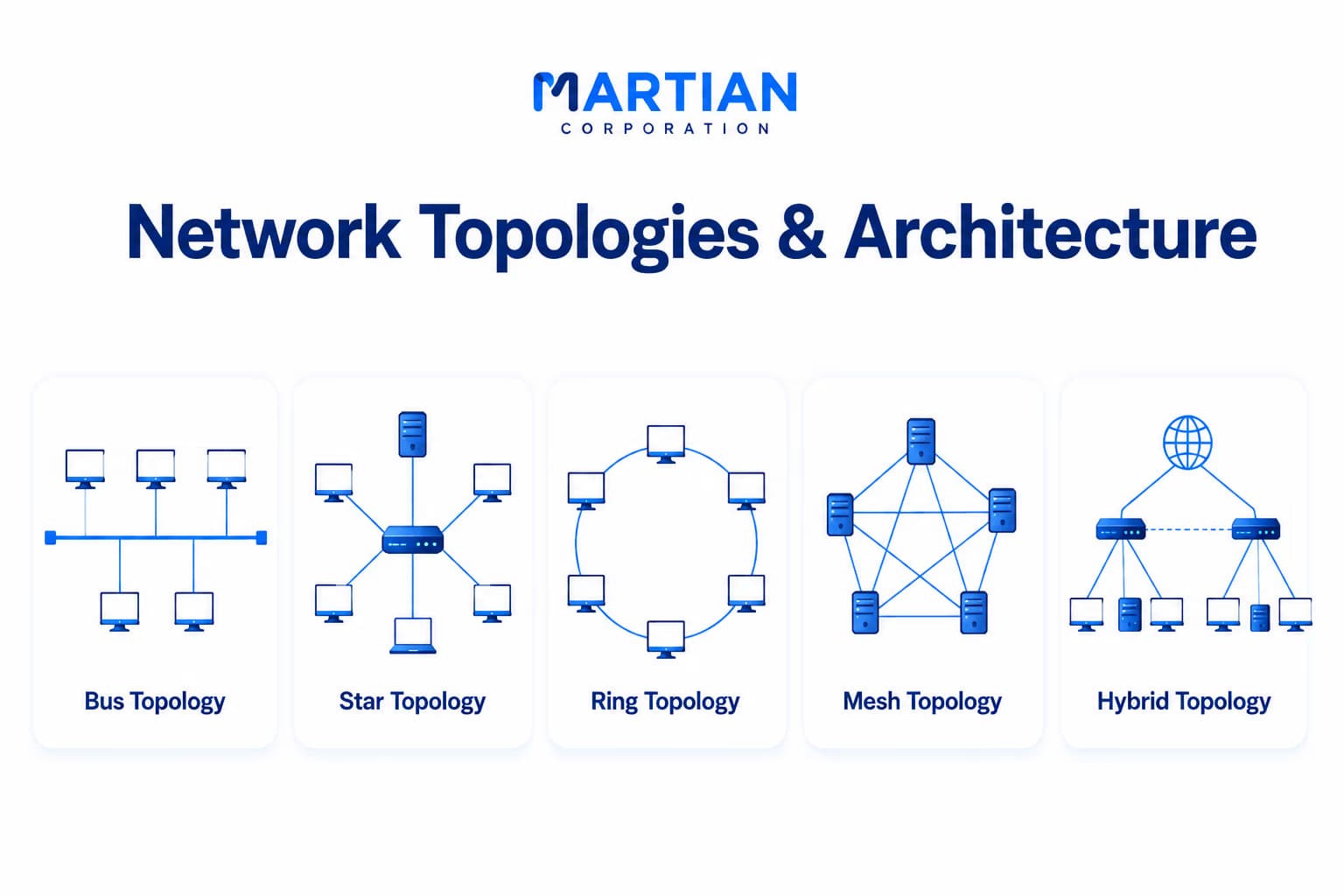
A bus topology connects all devices along a single shared cable — cheap, but fragile. One break takes down everything on it.

A ring connects each device to two neighbors in a closed loop — orderly, but one failed link breaks the whole circuit unless a redundant dual-ring is added.

Star became the dominant design for good reason. Every device connects directly to a central switch, so one device failing stays isolated. The trade-off is the switch itself — if it fails, all connectivity stops. Star still remains the default for homes, offices, and schools.

img-3

Mesh and Hybrid: Building for Resilience

"More paths mean more options — and options are what reliability is built on."

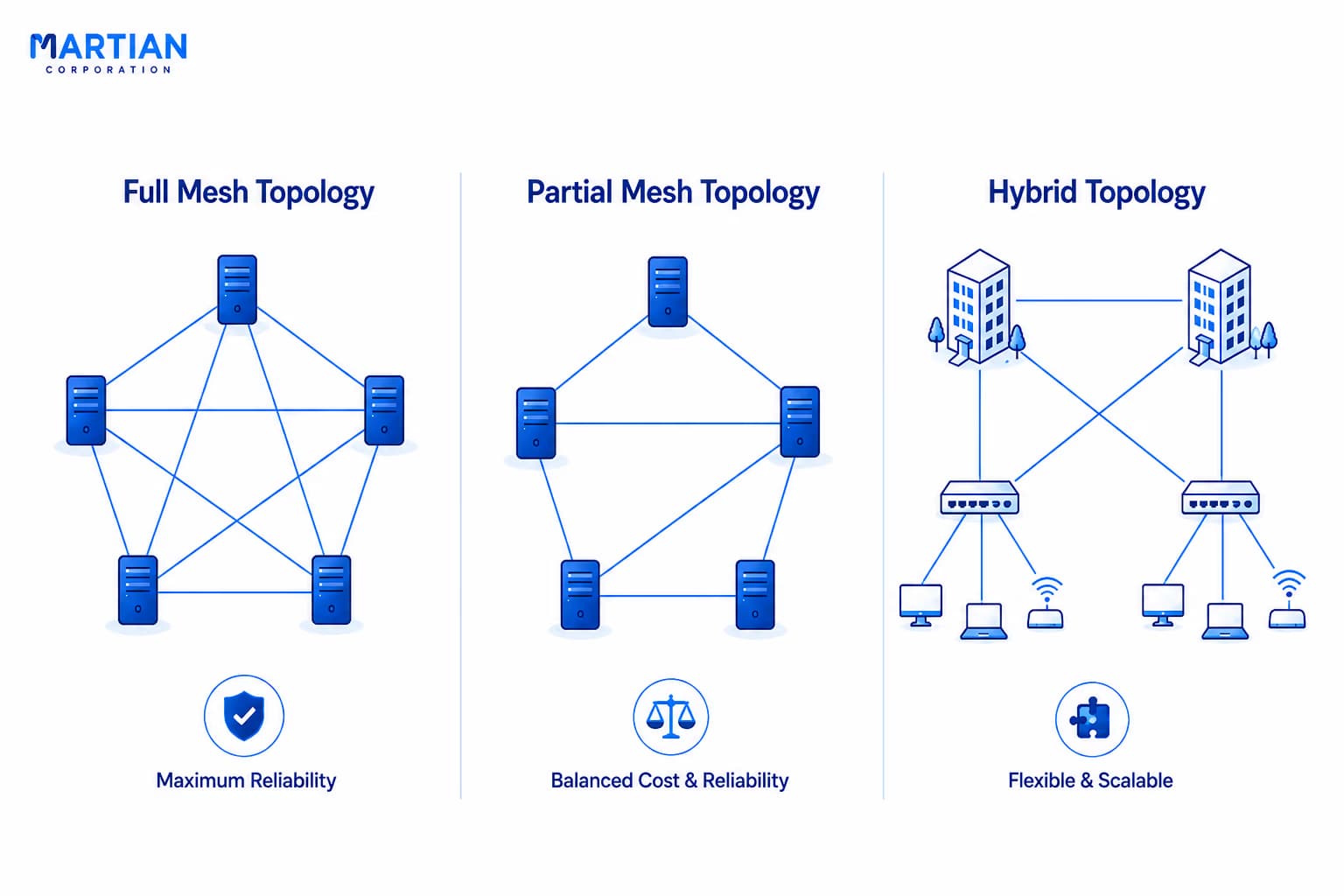
A mesh topology connects every device directly to every other device, so a failed link simply reroutes. It's extremely reliable, but costly — ten devices fully meshed need forty-five links. Full mesh is usually reserved for critical backbone infrastructure.

Most real networks use partial mesh instead — only the highest-priority nodes are fully interconnected while edge devices stay simple. Hybrid topologies go further, combining designs across a network: star inside each department, partial mesh between buildings.

image-4

Cost, Resilience, and Scalability

"Choosing a topology means choosing what you are willing to sacrifice."

No topology wins on every dimension. Bus and ring are cheap but fragile and scale poorly. Star is affordable and easy to expand. Mesh is the most resilient but the most expensive to build and maintain.

A hospital invests in redundant mesh links because downtime has real consequences. A retail chain standardizes on star to keep costs low. A university builds a hybrid — star within buildings, partial mesh between them. The architecture always follows the reality it serves.

How Real Networks Are Wired Today

"Modern infrastructure doesn't pick one topology — it layers them with intention."

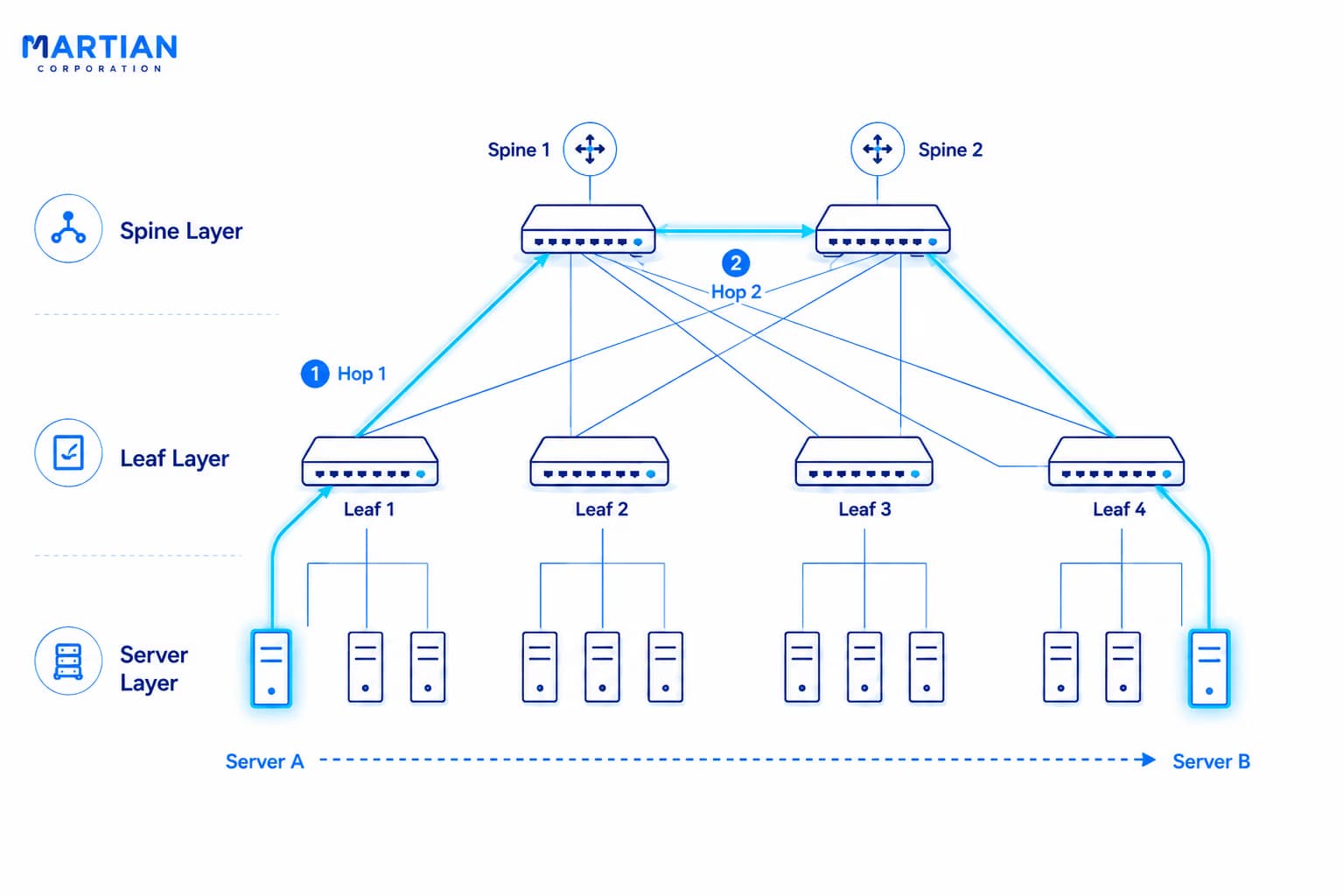
Campus networks follow a three-tier model: access switches connect end devices, distribution switches aggregate traffic, and core switches carry high-speed traffic between buildings. Data centres go further with spine-leaf architecture, where every leaf switch connects to every spine switch.

The result is a reliable partial mesh at the core — any server reaches any other server in exactly two hops. Spine-leaf is simply partial mesh applied deliberately at scale, and seeing that is the bridge from basic topology to real infrastructure design.

image-5

Conclusion

"A network's design is a set of decisions made in advance — so that nothing has to be decided in a crisis."

Bus, star, ring, mesh, and hybrid each answer the same question differently: how do we balance simplicity, reliability, and growth? Real networks rarely use just one — they layer these shapes deliberately across different parts of the infrastructure.

In the next article, we'll go deeper into how data actually moves across any topology by exploring the OSI Model — the layered framework that organizes every stage of communication between two networked devices.

NewsLetter

Stay ahead in the world of technology

Get curated technology trends, expert analysis, and product updates delivered straight to your inbox — no noise, just signal.

Enter your email address

By subscribing you agree to our Terms and Conditions and Privacy Policy

More Blogs

Switching & VLANsNetwork
28 Aug 2026
6 min read

Switching & VLANs

Modern networks need more than simple connectivity—they need efficient traffic management, logical segmentation, and stronger security. Network switches make this possible by intelligently forwarding data between devices, while VLANs allow organizations to divide a physical network into separate logical networks. This article explores how switching works, how VLANs provide network segmentation, and how these technologies work together to build faster, more organized, and secure network infrastructures.

Read more
Data Link Layer, MAC Addresses & EthernetNetwork
26 Aug 2026
5 min read

Data Link Layer, MAC Addresses & Ethernet

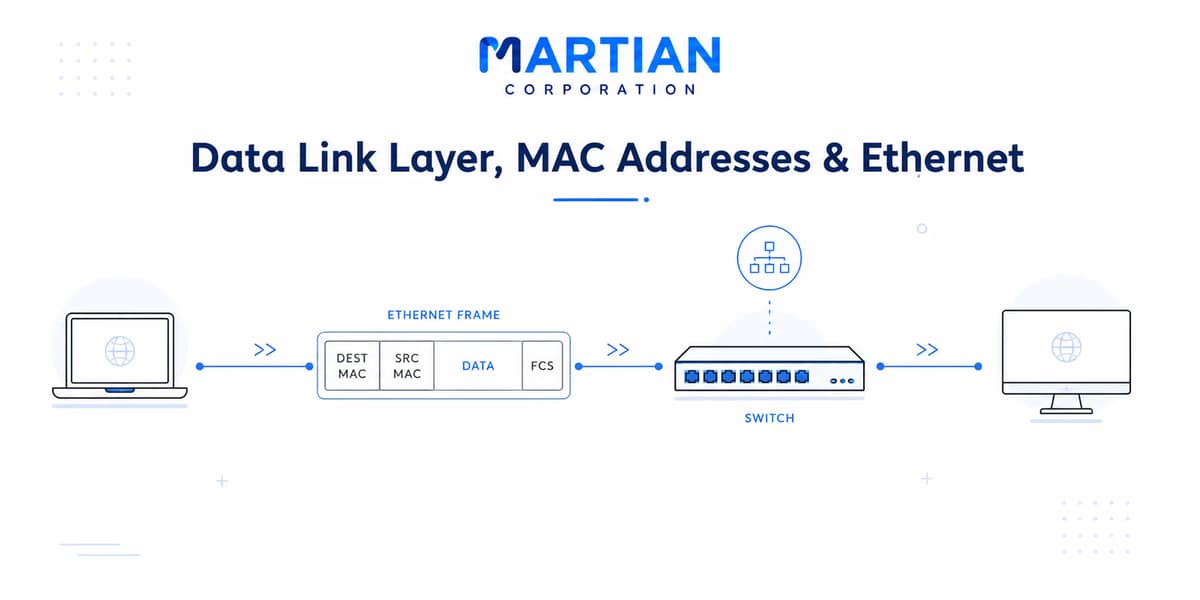
Before data can travel across the Internet, devices must first communicate reliably within their local networks. The Data Link Layer plays a crucial role in this process by managing device-to-device communication through MAC addresses, Ethernet frames, switches, and error detection mechanisms. This article explores how the Data Link Layer works, how MAC addresses identify devices, and how Ethernet and network switches move frames across a local network—providing the foundation for efficient and reliable network communication.

Read more
The Physical Layer: Cables, Signals & MediaNetwork
21 Aug 2026
5 min read

The Physical Layer: Cables, Signals & Media

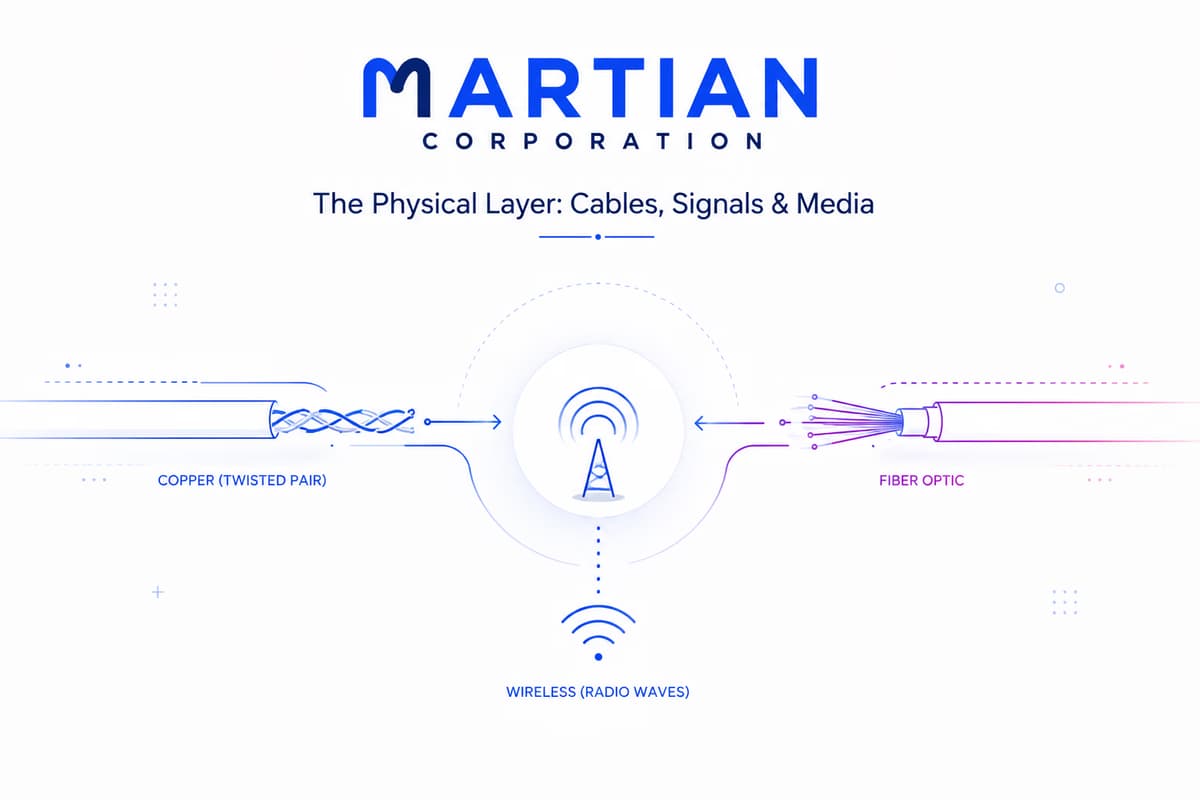
The Physical Layer: Cables, Signals & Media Every network begins with something physical — electrical signals through copper, pulses of light through fiber, or radio waves through the air. In this article, we take a closer look at the Physical Layer of the OSI Model and understand how data actually travels between devices. We’ll explore copper cables, twisted-pair wiring, fiber optic communication, wireless networks, bandwidth, throughput, latency, signal encoding, connectors, and networking standards — the building blocks that make modern computer networks possible. Because before packets can be routed, addressed, or delivered, they first need a physical medium to travel through.

Read more